
XO3D Studio · Amazon
Amazon Images: A CGI Guide for Sellers
Amazon-spec imagery, without a photo studio.
Amazon listing performance leans heavily on imagery. Sellers need a clean white-background hero, several secondary shots, at least one infographic, ideally an A+ content module and increasingly a lifestyle set. CGI produces the whole suite from one 3D asset, at spec, on time, without a photo shoot.
Why CGI for Amazon
One production. Every image the listing needs.
A useful listing image set explains the product clearly and follows the marketplace requirements. Plan the main image, feature views and contextual frames around the questions a buyer needs answered.
A CGI-led pipeline builds one 3D asset then renders the full listing suite from it, white-background hero at Amazon's exact spec, secondary angles, infographic overlays, A+ hero images, lifestyle context and colourway sweeps.
What's covered
The main varieties, in detail.


Advantages
Why brands commission it.
Amazon-spec on day one.
Exact aspect ratio, exact resolution, exact background. No cropping, no re-shoot, no rejection at listing upload.
Full suite from one build.
Hero, secondaries, infographics, A+ modules, lifestyle and colourways all rendered from the same 3D asset. No shoot per image type.
Add variants without new spend.
New colourway, new size, new configuration is a swatch swap and a re-render. No new photo shoot per SKU.
Update infographics in software.
Feature callout wrong? New spec? Change the annotation, re-export the image. Faster than any photography workflow.
Consistency across the range.
Every SKU in the range has the same lighting, same angle, same background. Cross-listing consistency at brand level.
Trade-offs
What to plan for.
Amazon has strict image rules.
Main image must be pure white background, no text, no props, no boxes. Get these wrong and Amazon suppresses the listing. CGI helps because you control every pixel, but you still need to follow Amazon's rules exactly.
Upfront modelling investment.
The product asset is prepared before the finished campaign outputs. Agree the first deliverables and likely later uses so the geometry, materials and shot planning support the brief.
A+ needs brand registry.
Amazon A+ content is available only to brand-registered sellers. Confirm your registration status before scoping A+ into the deliverable.
Photography still exists.
Some Amazon subcategories, food and open-package apparel especially, still lean heavily on photography. CGI is not always the fastest route.
Before you start
Project checklist.
You do not need all of these on day one. But the more of this we have at brief, the faster the project moves and the fewer clarifying rounds it needs.
Product CAD or 3D asset.
The tighter the source, the tighter the render. STEP, IGES, SolidWorks all welcome, or an existing production-ready model.
Amazon listing category.
Different categories have different image rules and A+ availability. Confirm the category at brief.
Feature and spec list.
The five to ten features you want called out in infographics. Dimensions, materials, benefits and any comparison data.
Brand registry status.
Confirms whether A+ content is available in scope. Not required for main and secondary images.
01
Product source
Confirm the approved revision, dimensions and material references.
02
Purpose and format
Agree what the audience needs to see and where the work will appear.
03
Review and delivery
Name the reviewers and record the outputs and approval dates.
Process
How the work is produced.
- STAGE 1
Amazon spec brief.
We confirm the listing category, image slots, resolution requirements and any A+ modules in scope. This drives every downstream image.
- STAGE 2
Source asset.
A production-ready 3D model of the product is built or reused. Materials and dimensions locked to real-world accuracy.
- STAGE 3
Hero image.
Main image rendered at Amazon spec, white background, correct fill, correct angle, correct resolution.
- STAGE 4
Secondaries and infographics.
Alternative angles, macro details, feature callouts and spec overlays. Annotated inside the same scene for consistency.
- STAGE 5
A+ modules and lifestyle.
Brand story imagery, comparison charts and lifestyle context. Composited from the same source asset.
- STAGE 6
Delivery.
Files delivered at Amazon-exact resolution, ready to upload to Seller Central.
Who commissions Amazon imagery
Built for teams selling on Amazon at scale.
Amazon-native sellers and brands running direct on Seller Central or Vendor Central. In-house creative teams supporting Amazon listings alongside owned ecommerce.
Agencies delivering Amazon-first launches or refreshes. Brands running large ranges where per-SKU photography is not economic.
Case studies
Recent work.


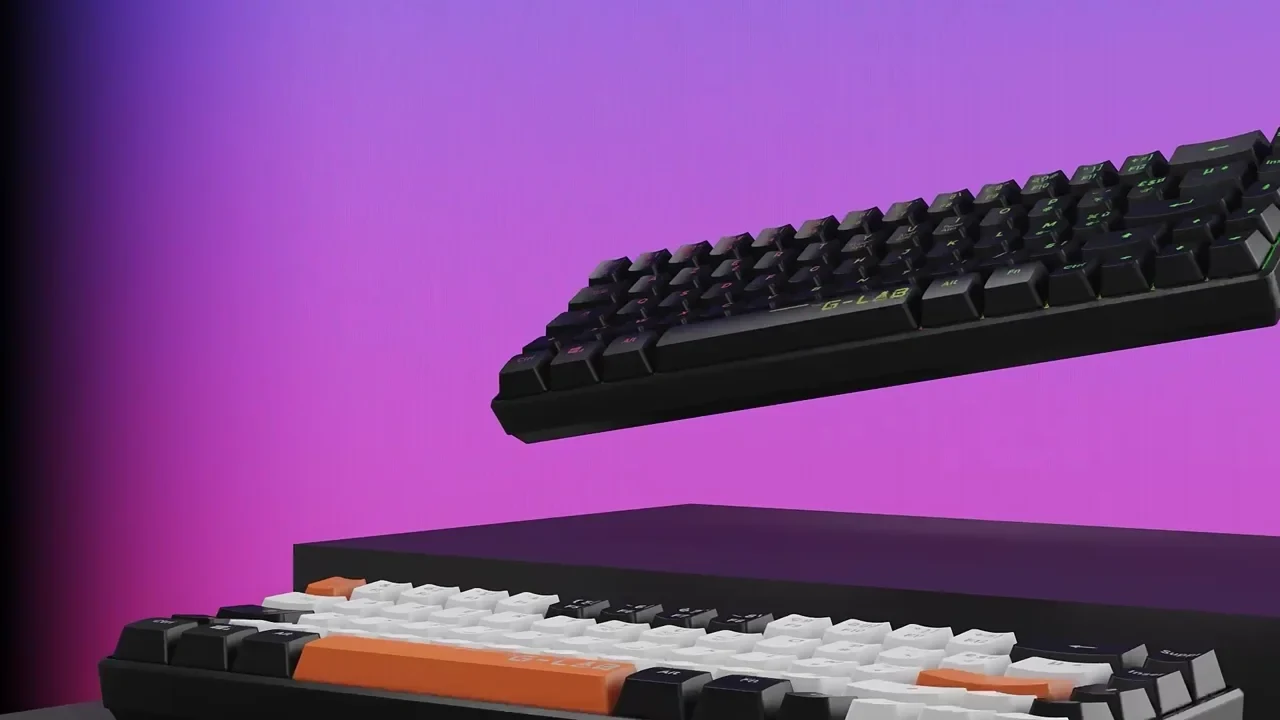
G-Lab gaming keyboard. Amazon-ready hero, macro details, feature infographics and colourway grid, all from one 3D build.
View case study


Sony WF-C710 wireless earphones. Amazon-ready packshots, feature infographics and lifestyle context from a single CGI asset.
View case study

Petalite EV charger. Hero packshots, exploded technical infographics and lifestyle composites, all built from the launch CGI asset.
View case studyTestimonial
The team at XO3D were a pleasure to work with on one of our big product launches. They rendered, batched, and saved out literally thousands of images for us. Every single one came out perfect.
For a commercial brief, define the listing category, image slots and any A+ modules first, then scope director-led product rendering around that job. For sibling topics, see product marketing and digital marketing.

FAQ
Common questions, answered.
Is CGI accepted for Amazon main images?
Yes. Amazon does not require photography for main images, it requires the image to meet the listing rules (white background, product filling 85 percent of frame, no props, no text). CGI produces exactly this.
Does CGI perform as well as photography on Amazon?
Yes, when produced to the same quality bar. Amazon shoppers respond to image clarity, angle coverage, feature communication and colourway consistency, all of which CGI does at scale.
How many images does a typical Amazon listing need?
A main image, six to eight secondary and infographic images, plus A+ modules for brand-registered sellers. Range listings with variants also need colourway coverage.
Can we add new colourways later without a full re-render?
Suitable product assets can support additional colourways and variants. Each needs approved finish references and a check of the final listing requirements.
How long does an Amazon CGI set take?
A full Amazon-ready image set for a considered-purchase listing is typically 3 to 6 weeks from approved brief and source data.
Your next project
Plan the listing sequence.
Separate the required main image from feature, scale and contextual views. Check the current marketplace rules for the actual category, and keep product claims tied to approved evidence.
A route to consider
CGI stills and campaign visuals
Directed product stills with an agreed shot list, material references, environments and delivery formats.
Bring these three things.
- What category and marketplace are involved?
- Which features need explanation?
- What image specifications have been confirmed?
Start with an outline. We review the product, intended outputs and timing before agreeing the production scope.