
Product films, launch visuals and interactive experiences.

Tell us about your brief Book a 15-minute call
View all pages

Service

Product Configurator.

Let buyers explore approved product options in a browser, with a clear path from the selection to the next conversation.

Start a conversation

Selected clients

Product choices, made visible.

A product configurator is a real-time 3D experience that lets a customer personalise a product on the page and see the result instantly, rather than choosing from a grid of pre-rendered images. XO3D, a director-led product CGI studio in Stevenage, UK, builds configurators from CAD so colour, finish, material, size and component options are all driven by one accurate model. That removes the need to render every combination separately and keeps the range consistent as it grows. Controls, interactions, supported platforms and integration are agreed before development, previews are shared at each milestone, and the finished experience is delivered as embed code or a component for a product page, ecommerce platform, campaign site or sales tool. Everything runs in a desktop or mobile browser with no app required, and performance is treated as part of the brief.

Why it works

Choices the buyer can see.

Make the options clear.

Show buyers what changes between approved options. Measure understanding and completed next steps against the existing experience.

Render every variant from one model.

Build the agreed options from one product source. Define valid combinations and unavailable states before development.

Cross-platform performance.

Set a device and browser test matrix, asset limits and an accessible static fallback before release.

Integration scoped to your site.

Review your platform, security policy and data handoff before choosing an iframe or component integration.

What we deliver

Scope the right outputs.

  1. 01

    Colour & Finish Selectors

    Switch instantly between every colour, finish or material variant. The fastest way to showcase your full product range.

  2. Build-Your-Own
    02

    Build-Your-Own

    Let buyers configure size, components and features, building a personalised product before purchase.

  3. 03

    Interactive Visualisers

    Beyond simple selectors, interactive walk-arounds, exploded views and hotspot annotations all in one experience.

Process

Define the experience before development.

  1. 01

    Share the brief.

    Send CAD files, reference imagery and the configuration options you want to offer.

  2. 02

    Define the experience.

    We agree controls, interactions, platforms (web / mobile) and integration before development starts.

  3. 03

    Build and refine.

    Configurator developed through structured stages, with shareable previews at every milestone.

  4. 04

    Deliver and embed.

    We provide an embeddable experience ready for your CMS, ecommerce platform or sales tool.

FAQ

Common questions, answered.

What is a product configurator?
An interactive 3D experience that lets customers personalise a product in real time, switching colours, materials, features and configurations to see exactly what they're buying.
What platforms does a configurator run on?
The supported desktop and mobile browsers are agreed in the brief and tested before release. A static fallback covers unsupported environments.
Can it integrate with my ecommerce platform?
Integration depends on the platform, available extension points and required data handoff. We review those requirements before confirming the implementation.

Start the conversation

Got a product with variants? Let's configure it.

We reply to every brief personally, usually within one working day.

About the studio

XO3D is a director-led product CGI studio, incorporated as XO3D Ltd in 2019 (UK Companies House 11876020). Founded by Thomas Howcroft (Founder and Creative Director) and Alex Mann (Co-Founder and Managing Director). Based at the Business and Technology Centre in Stevenage, UK, with representation at 244 Fifth Avenue, New York. We work with tech, industrial and premium consumer brands on product films, launch stills and interactive experiences.
  • Studio Stevenage, UK · New York representation
  • Company XO3D Ltd · Companies House 11876020
  • Contact info@xo3d.co.uk · +44 20 3488 3437

Planning your project

Choices the buyer can see.

A product configurator lets a visitor change permitted options and inspect the result. It is useful when choosing a finish, component or arrangement is part of understanding the product.

XO3D develops interactive product experiences around the decisions your buyer needs to make. The visual model, option rules and destination website are scoped together.

Tell us about your brief
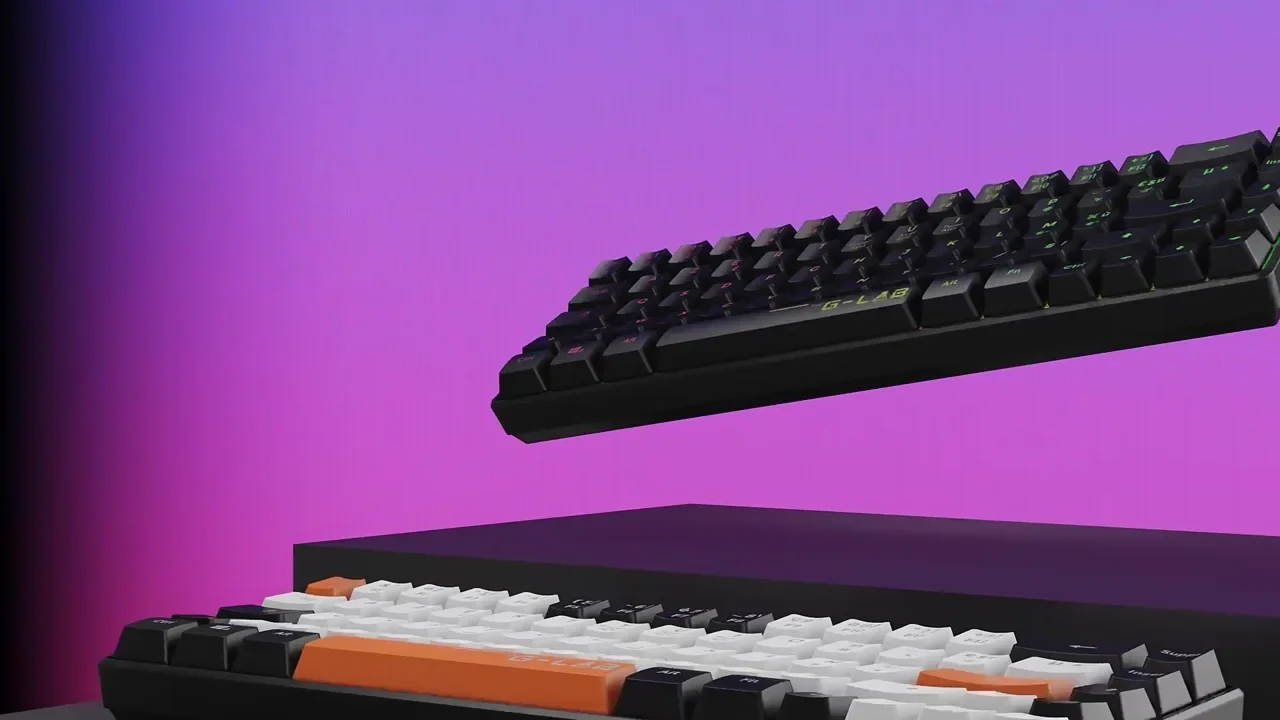
G-Lab mechanical keyboard shown in a directed product frame
G-Lab mechanical keyboard. Explore the project
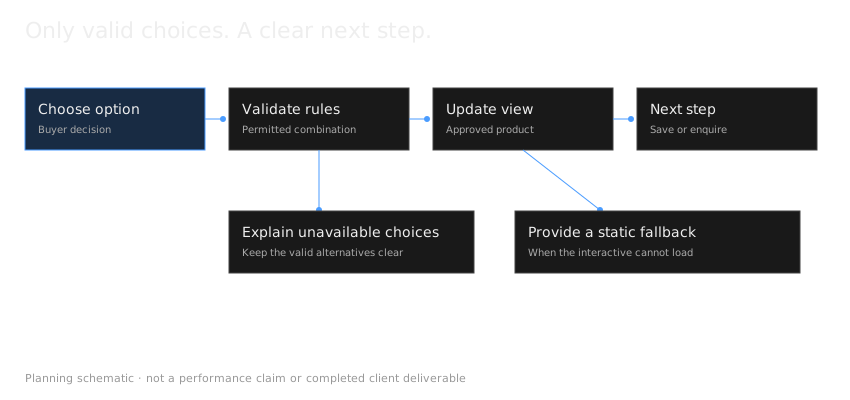
A configurator validates permitted options before updating the view, explains unavailable choices and supplies a static fallback.

Define the decision.

A finish selector, a rotating viewer and a configurable assembly solve different problems. Start with the product range and the choices that matter.

List the valid combinations, unavailable combinations and information the experience needs to return. A configuration should not show something the buyer cannot actually order or commission.

Protect the visual standard.

A browser asset has different requirements from a film render. Geometry, textures and lighting must preserve the important details within an agreed performance budget.

Plan the close-up views and material comparisons before optimising the model. Test on representative mobile devices as well as desktop screens.

Agree the integration.

An embed may suit one brief; a component connected to a product system may suit another. Confirm the platform, data ownership, accessibility, analytics and maintenance responsibilities before development.

A saved configuration, basket connection or quotation workflow is an integration requirement. It should be specified rather than assumed.

Judge it against the right outcome.

Measure whether buyers use the relevant controls, complete their intended next step and encounter errors. Compare against the existing page where an appropriate test is possible. Time spent interacting alone does not establish a commercial improvement.

Questions before development.

Will it work on our website?

We assess the actual platform, browser requirements and data connections before confirming the implementation.

Does a configurator always improve conversion?

No outcome is automatic. The experience needs to resolve a real decision and perform well on the devices your buyers use.

Start with the options.

Share the product, permitted variations and destination page.

Further reading: Model Viewer: browser integration reference · Khronos glTF: real-time asset format

Updated